
Sometimes you want to cast a wide net -- whether you are building a talent pipeline, filling a role that is always open, or simply giving enthusiastic candidates a place to raise their hand beyond the Job Alert Email. A General Application lets you do exactly that by creating a standing job posting where candidates can apply even when there is no specific opening listed.
Here is what you need to know before getting started.
A Note on Job Slots
If you are on a job-based plan, a General Application counts as one of your active job slots -- just like any other posting. So if you are on a three-job tier, your General Application will occupy one of those three slots. Plan accordingly, and make sure the posting is worth the real estate.
Step 1: Create or Edit the Job
Start by creating a new job or opening an existing one that you want to use as your General Application.
A few tips on naming:
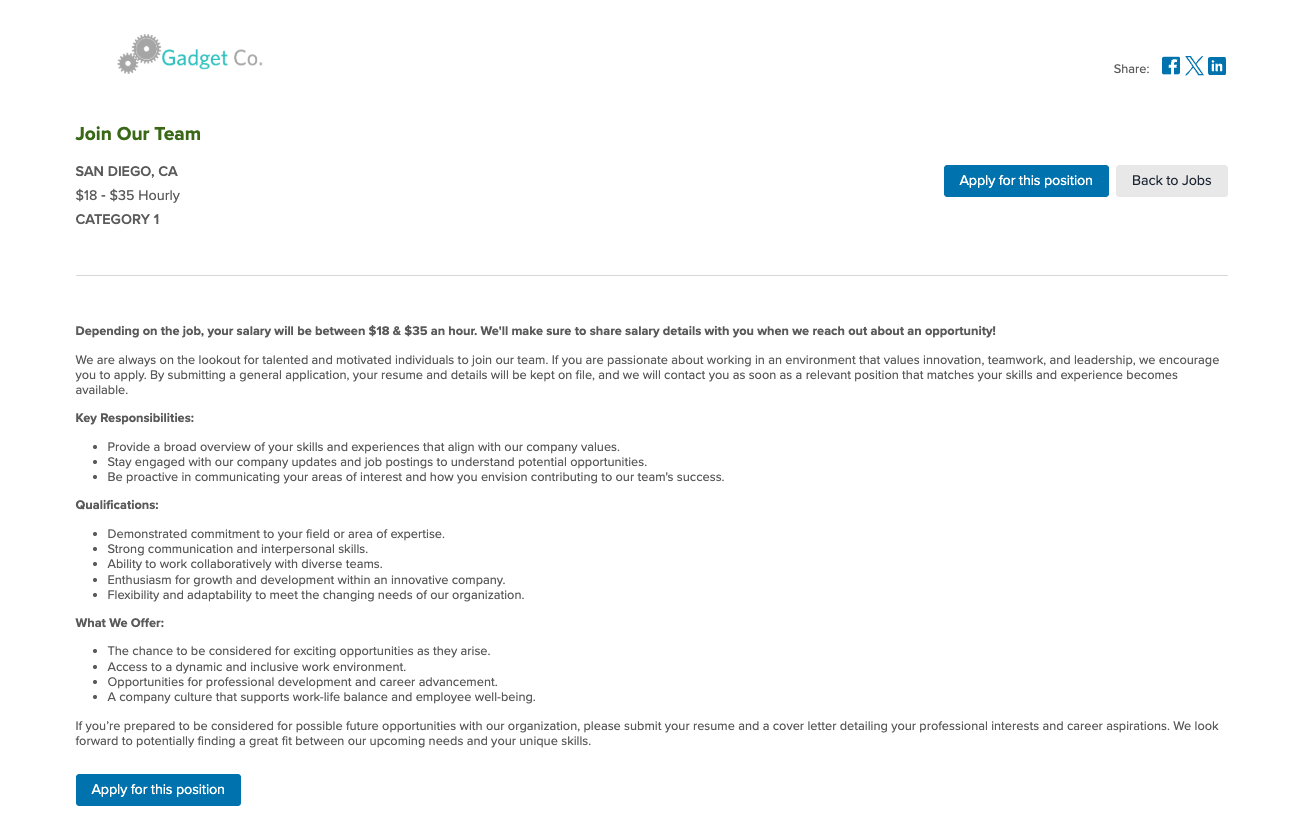
- Keep it clear and welcoming. Titles like "General Application," "Join Our Team," or "Always Accepting Applicants" work well and set the right expectation for candidates.
- Avoid vague titles that might confuse job seekers -- if they are not sure what they are applying for, they may move on.
Once published, the job behaves like any other posting in your ATS. Candidates apply through the same process, and submissions land in your pipeline just as they would for a standard role.
Pay Transparency Laws -- A Special Note
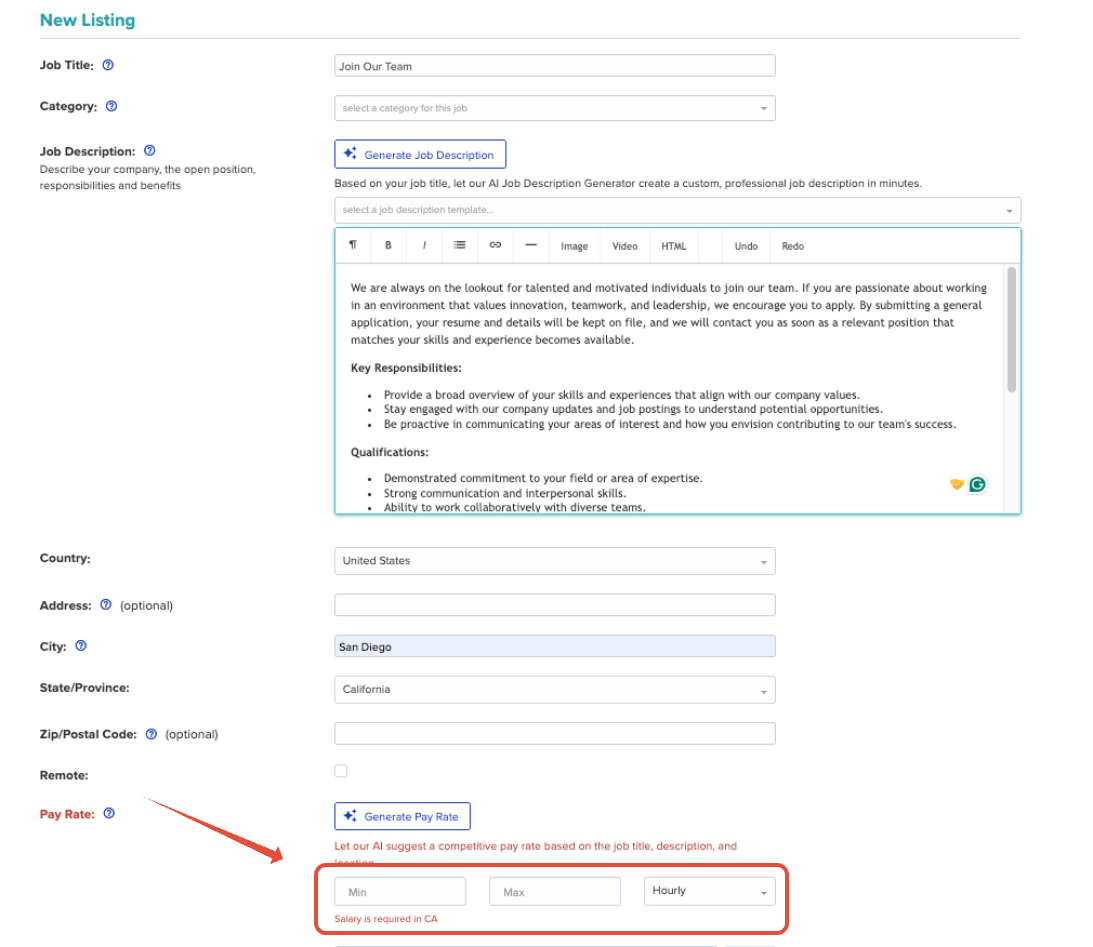
If your company is located in a state with pay transparency requirements, the system will require you to enter a salary before the job can be published. Since a General Application is not tied to a specific role or compensation level, here is how to handle it:
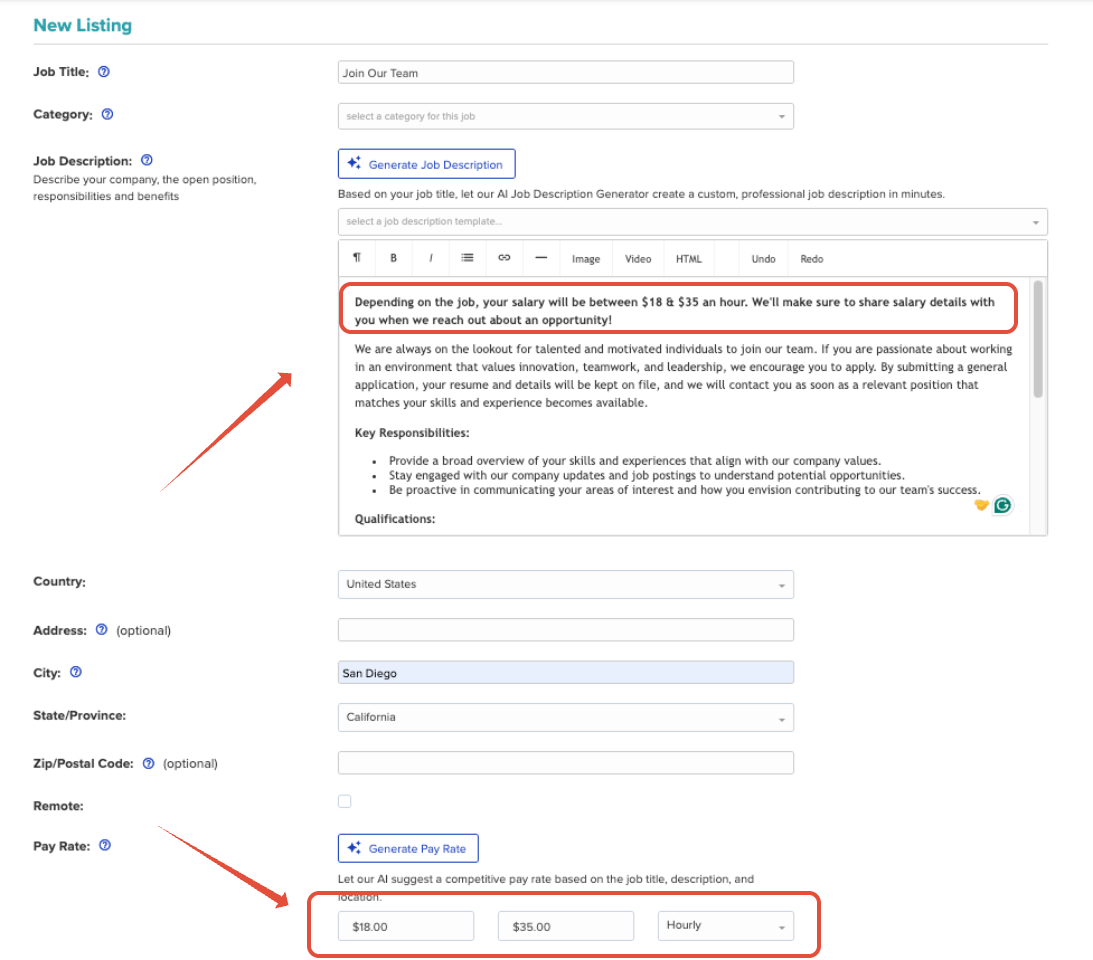
- Enter a broad salary range that reflects the general compensation spectrum at your company -- for example, the lowest hourly rate you might offer up to the highest salaried position. This satisfies the system requirement and is a reasonable good-faith representation of what candidates might expect.
- Add a clarifying line in the job description letting candidates know that compensation varies depending on the specific role, experience level, and location. This helps set accurate expectations so no one shows up to an interview anchored to a number that may not apply to them.
 |  |
Step 2: Turn Off Free Job Boards -- This One Is Important
General Applications are flagged by many job boards as non-compliant postings. Submitting one can result in that listing being removed -- or worse, your account being restricted from free job board inclusion across all of your postings. Not ideal.
To prevent this:
- Open the job in Edit mode.
- Click Show Advanced Options.
- Locate the Free Job Boards toggle and turn it OFF.
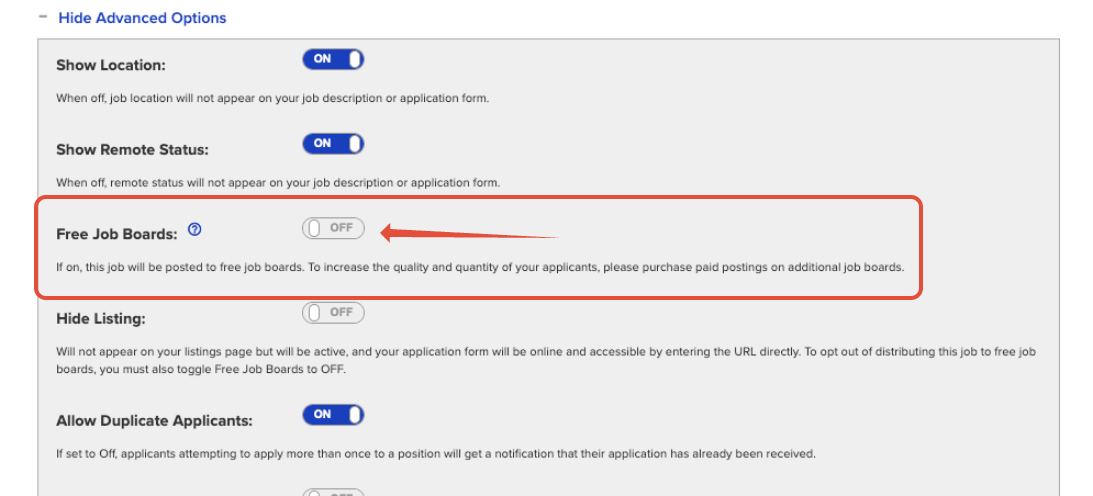
This ensures your General Application stays on your own Career Page where it belongs, without putting your other job postings at risk.
Step 3: Publish the Job
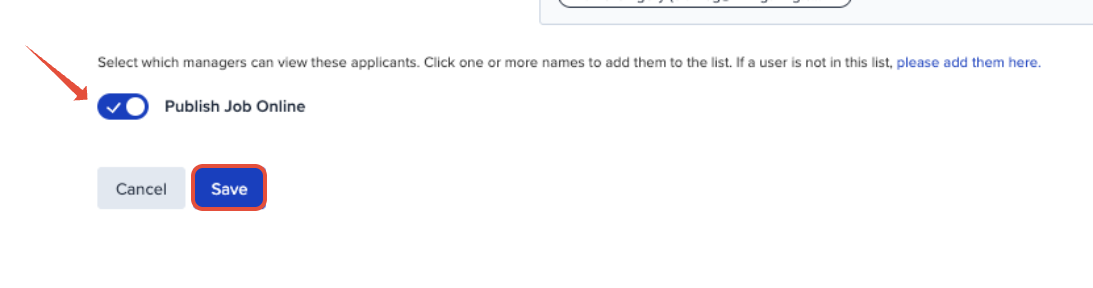
Once the job is configured, go ahead and make sure "Publish Job Online" is toggled ON before you Save it. It will appear on your ATS-hosted Career Page and work just like any other active posting -- candidates can find it, apply, and land in your pipeline using your default application form. No special form setup is needed.
Step 4: Pin It to the Top (Optional)
If you want your General Application to be the first thing candidates see when they visit your Career Page, you can customize your job posting sort order. To set a custom order and move your General Application to the top, follow these steps:
- Navigate to the Main Menu (☰) Icon in your account.
- Select Account Details from the menu.
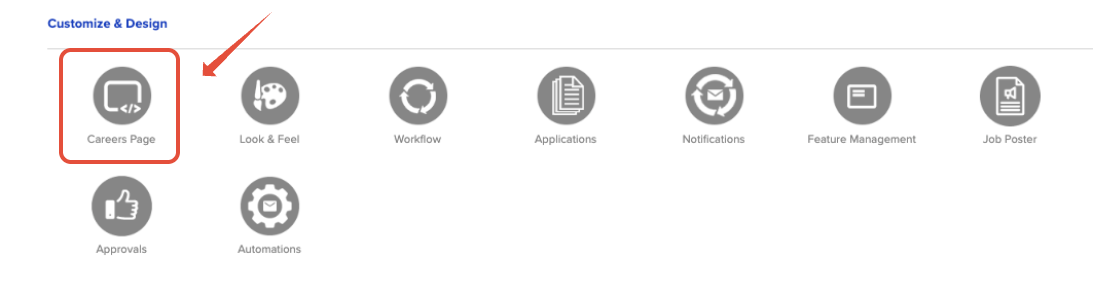
- Scroll down to the Customize & Design section.
- Click the Careers Page button.
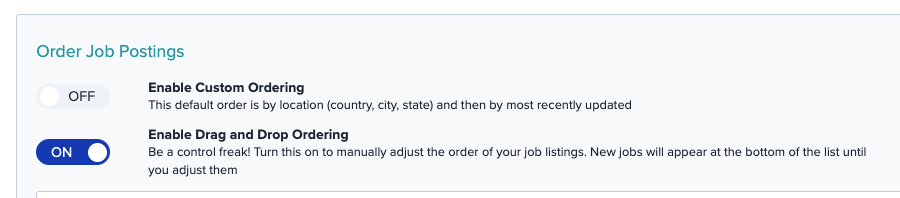
- Scroll down to find the Enable Drag and Drop Ordering toggle.
- Click the toggle to turn custom ordering ON.
- Grab the job and set it at the top of your list.
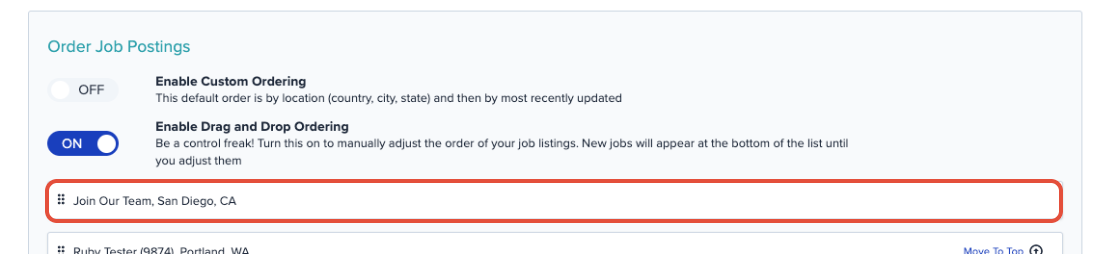
From there, you can further arrange your postings however makes the most sense for your hiring strategy.
Setting up a General Application is a smart way to keep your talent pipeline warm -- just make sure you have followed the job board configuration steps above to protect the rest of your postings. If you run into any questions along the way or need a hand getting things configured, our support team is here to help.
