
If you'd like to create custom approval and/or notification process for New Job Requisitions or Offer Letters, search no more!
Get started by navigating to the Menu Icon Account < Account Details < Approvals

Under the Approvals section, you'll see the options toggle on Job Requisition and Offer Letter approval process.
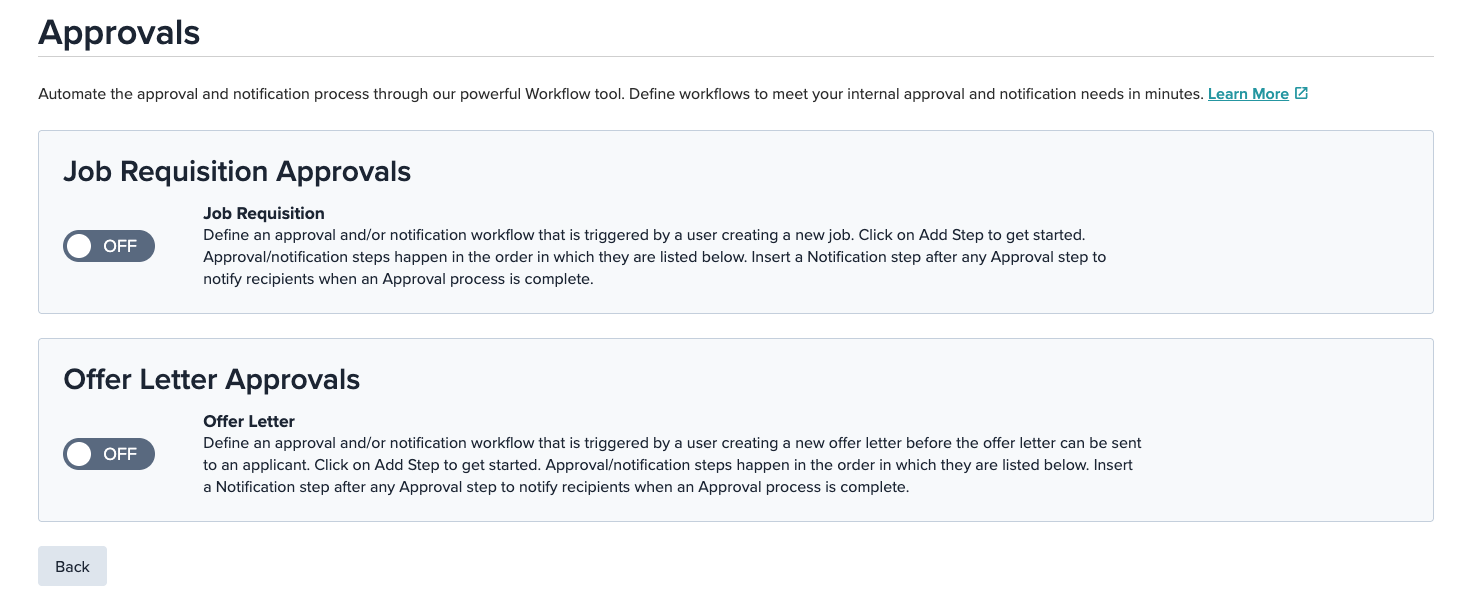
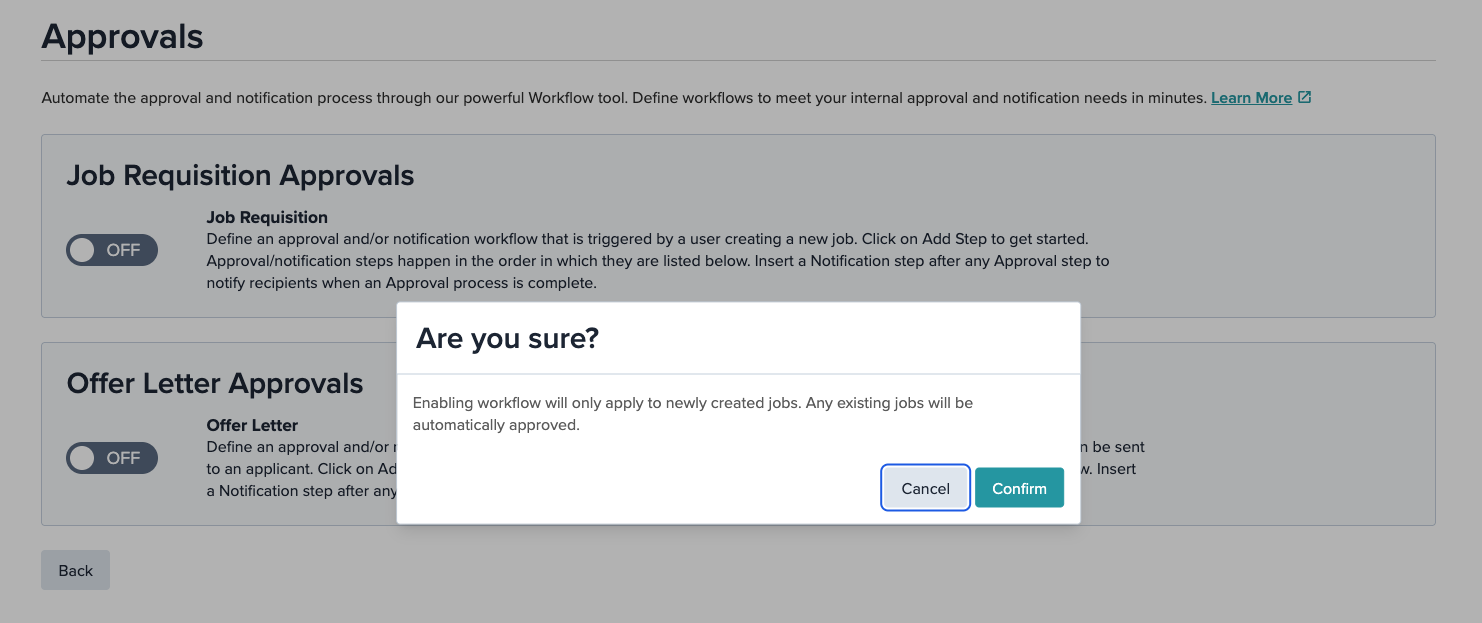
Toggling either of them on brings up a confirmation step.
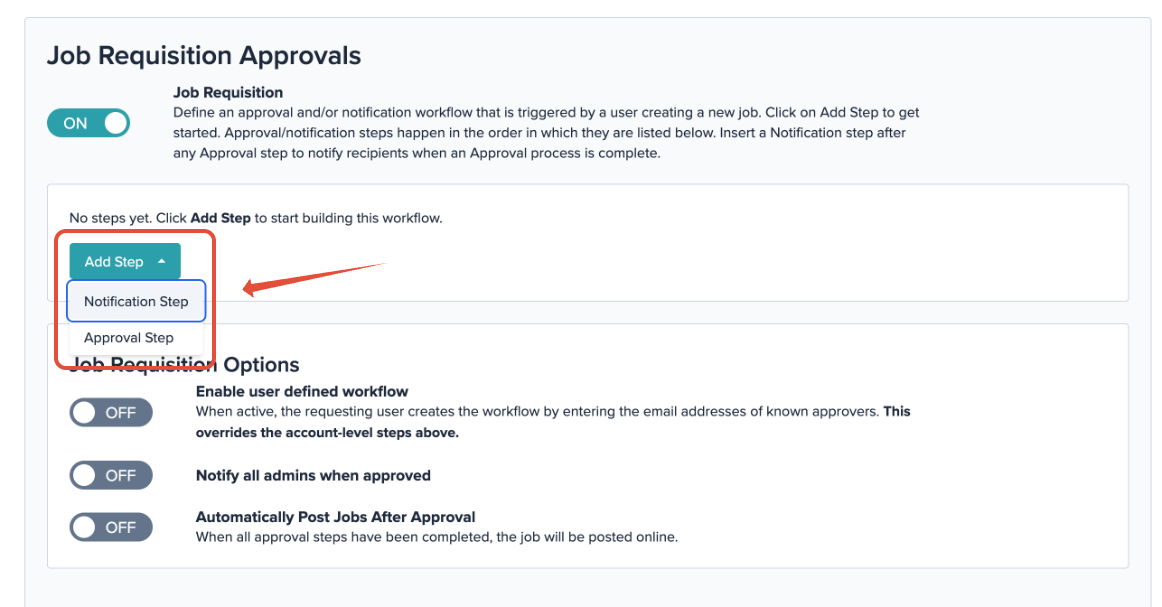
Once you confirm, the Approval options will appear. You can add as many steps in the approval process as you need in order to accommodate your internal workflow needs. They can either be used for notifications or for approval.
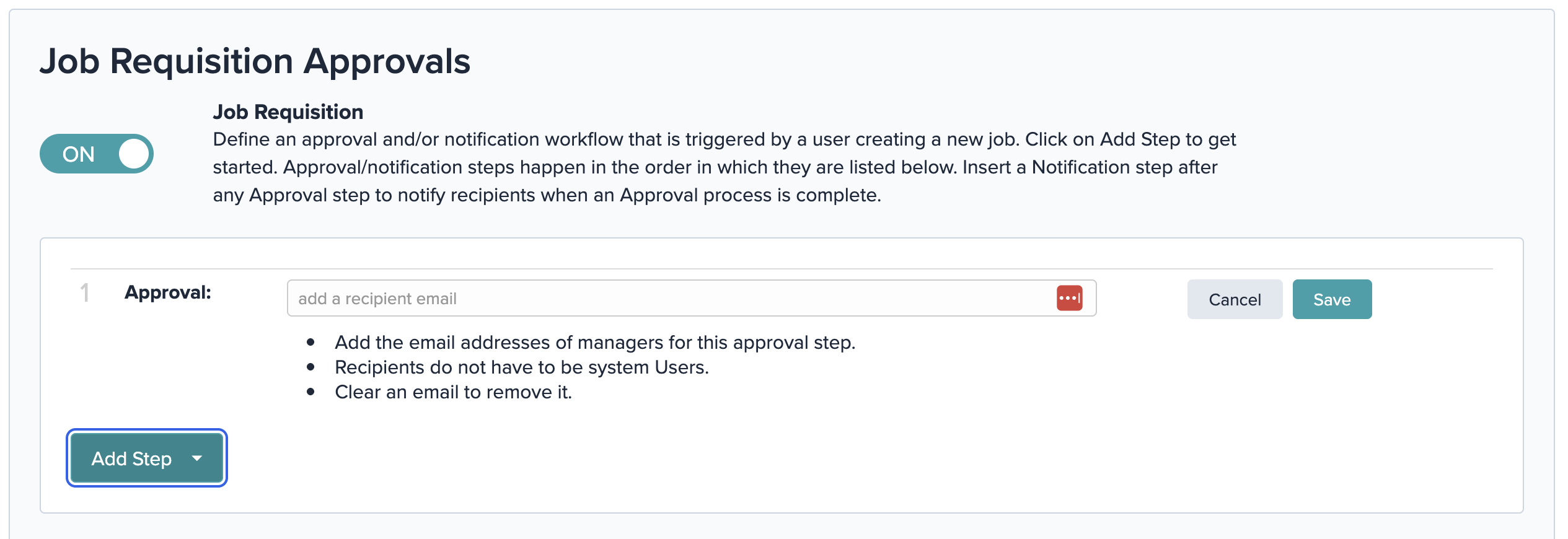
If either type of step is selected, you will be prompted to enter the email address of the approver. Don't forget to Save!
Directly underneath the steps you've made, you have the option to toggle on/off:
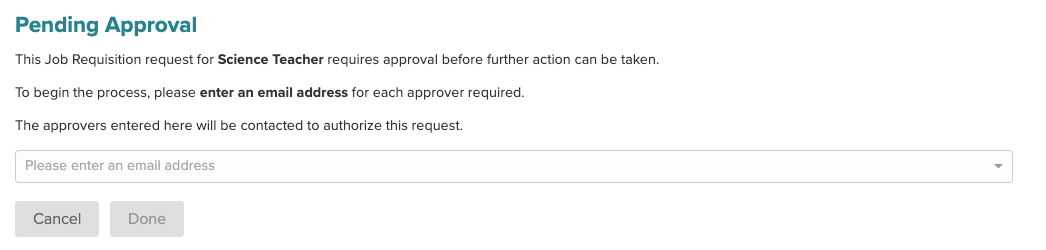
- Enable user defined workflow
When active, the requesting user creates the workflow by entering the email addresses of known approvers. This overrides the account-level steps above.
Notify all admins when approved

Automatically Post Jobs/Send Offer After Approval
When all approval steps have been completed, the job will be posted online.
What Happens Next?
Job Requisition Approval Process
- As long as they have the proper permissions, a User creates a new job
- Saving a job triggers the notification and/or approval process
- The system sends out the job description via email to Notify Recipients and/or Approvers
- The job description can be viewed in email and Approvers can approve or decline (with comment/reason) right from their email
- All steps are followed according to your defined workflow
- The job posting cannot be edited during the approval process
- Once a job has been approved, the User receives a notification in the Messages section of the Dashboard. (Also true for all admins if toggled on)
- Users can then edit and/or publish the job online, or, if Automatically Post Jobs After Approval is enabled, the job will automatically go out.
Note: If edits are made to the job req at this point, it will need to be resubmitted for approval
Offer Letter Approval Process
- A User creates a new offer letter and submits it for Approval
- The system sends out the formatted offer letter via email to Notify Recipients and/or Approvers
- Offer Letter can be viewed in-email and Approvers can approve or decline (with comment/reason) right from their email
- All steps are followed according to your defined workflow
- Offer Letter cannot be edited during the approval process
- Once an offer letter has been approved, the User receives a notification in the Messages section of the Dashboard. (Also true for all admins if toggled on)
- Users can then send the offer letter to the applicant, or, if Automatically send offer letter after approval is enabled, the offer letter will automatically go out.
Q&A
- Can an approval request be canceled?
- Yes, a User can cancel an approval request.
- Can an offer letter be edited once approved?
- Edits can be made once an offer letter has been approved; however, changes do not automatically submit the letter for re-approval. If updates are required, the letter must be manually resubmitted for approval before it can be sent.
- Note: Editing an offer letter does not trigger re-approval.
- Edits can be made once an offer letter has been approved; however, changes do not automatically submit the letter for re-approval. If updates are required, the letter must be manually resubmitted for approval before it can be sent.
- Can a job posting be edited once approved?
- Yes, once approved, a job posting can be edited by users with job posting/editing permissions.
- Are job requisition and offer letter approval processes available to all Users?
- Yes, they are available to all Users. Contact Support with questions or to try approvals today.
- Yes, they are available to all Users. Contact Support with questions or to try approvals today.
